
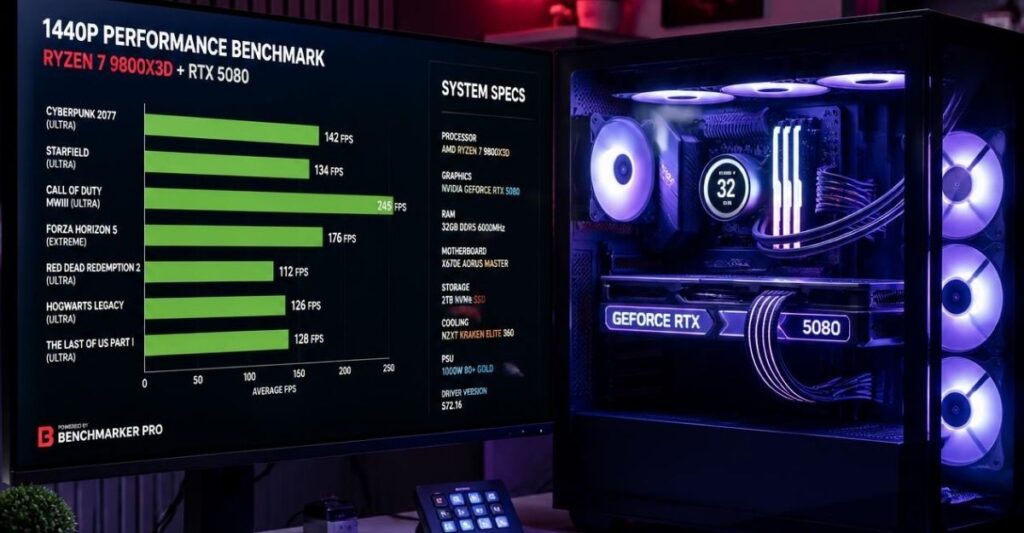
The “High-End” tier is where the smartest money in PC building is spent in 2026. If you are operating in this category, your goal is simple: achieve flawless, high-refresh-rate 1440p gaming or entry-level 4K rendering without paying the extreme early-adopter taxes associated with our Enthusiast Blueprint.
However, because this tier bridges the gap between ultra-premium and mainstream hardware, the risk of creating a systemic bottleneck is incredibly high. Pairing a massively powerful CPU with a GPU that lacks the VRAM to keep up will strand your processing power. Conversely, pairing a massive graphics card with a processor that lacks L3 cache will result in jagged 1% low frame rates.
If you used our hardware synergy engine and landed here, your system falls into the premium 1440p/4K hybrid category. Below is the definitive architectural breakdown of the highest-tier CPU and GPU combinations, backed by aggregated telemetry to help you perfectly balance your rig.
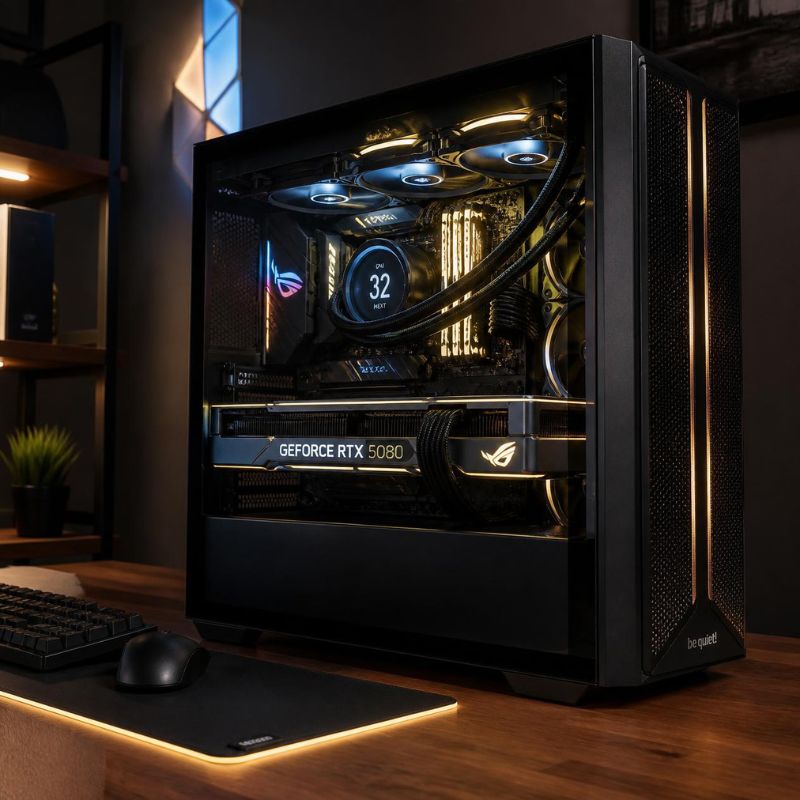
AMD Ryzen 7 9800X3D with NVIDIA GeForce RTX 5080 16GB
Baseline Metrics (1440p Workload):
- System Variance: 16% GPU Limit
- Hardware Rating: A (Highly Balanced)
- Ideal Resolution: 1440p (High Refresh) / 4K Ultra
Comparative Analysis: This is arguably the most efficient high-end gaming configuration of 2026. The Ryzen 7 9800X3D relies on its Zen 5 architecture and 96MB of L3 cache to feed geometry data to the GPU with virtually zero latency. The RTX 5080, built on the Blackwell architecture with 10,752 CUDA cores, is an incredibly potent rendering node, but at 1440p, it still acts as the primary systemic limit, operating 16% behind the CPU’s maximum instruction output.
This is the exact bottleneck you want. The GPU will remain pinned at 99% utilization, extracting maximum value from your graphics investment, while the processor maintains enough overhead to completely eliminate micro-stutters during heavy physics calculations.
- Pros:
- Maximum 1440p Saturation: Easily saturates 240Hz and 360Hz 1440p OLED monitors in competitive titles.
- Thermals: The 9800X3D is incredibly power-efficient with a 120W TDP, meaning your chassis ambient temperatures remain low, allowing the 360W RTX 5080 to maintain higher boost clocks up to 2617 MHz.
- Cons:
- VRAM Limits: The 16GB GDDR7 VRAM buffer on the RTX 5080 is sufficient for gaming, but acts as a hard ceiling if you intend to run localized 30B+ parameter AI models.
Intel Core Ultra 7 265K with NVIDIA GeForce RTX 5080 16GB
Baseline Metrics (1440p Workload):
- System Variance: 12% GPU Limit
- Hardware Rating: A+ (Excellent)
- Ideal Resolution: 1440p / 4K Ultra
Comparative Analysis: Intel’s Arrow Lake-S architecture removes hyperthreading in favor of raw, brute-force IPC (Instructions Per Clock) across its 8 Performance and 12 Efficient cores. When paired with the RTX 5080, the system achieves a phenomenal 12% variance. The CPU calculates game states just slightly faster than the GPU can render them.
This configuration shines for hybrid users. If you stream using OBS, render high-bitrate video, or compile code alongside your gaming habits, the Core Ultra 7 265K’s 20 total threads handle background tasks flawlessly without interrupting the GPU’s data feed.
- Pros:
- Productivity Dominance: Outperforms the 9800X3D in multi-threaded workstation applications (Adobe Premiere, Blender) while matching it in 4K gaming.
- Platform Longevity: The new FCLGA1851 socket ensures you have a viable upgrade path for future CPU generations.
- Cons:
- Cooling Requirements: With a typical TDP of 125W and a Maximum Turbo Power of 250W, it requires a high-end 280mm or 360mm AIO liquid cooler to prevent thermal throttling under sustained multi-core loads.
AMD Ryzen 7 9800X3D with NVIDIA GeForce RTX 5070 Ti 16GB
Baseline Metrics (1440p Workload):
- System Variance: 29% GPU Limit
- Hardware Rating: B (Acceptable / Slightly Unbalanced)
- Ideal Resolution: 1440p
Comparative Analysis: As we step down the GPU hierarchy, the systemic variance widens. The RTX 5070 Ti restricts structural output frame throughput by nearly 30% relative to the 9800X3D’s 5.2 GHz max boost capability. The CPU calculates physics far faster than the graphics card can paint the lighting and textures.
To achieve equilibrium here, users must rely heavily on DLSS 4 frame generation to artificially boost the GPU’s output, or aggressively overclock their graphics card memory. If you are building a system specifically for this GPU, stepping down to our Mainstream+ Guide and utilizing a mid-range processor will yield nearly identical gaming performance while saving you capital.
- Pros:
- Frame Generation Overhead: The unutilized CPU power ensures background tasks never interfere with DLSS 4 interpolation.
- Cost Efficiency: Both components can be comfortably run on a high-quality 850W power supply.
- Cons:
- Capital Waste: Nearly 30% of your processor’s premium L3 cache capabilities will go unutilized during strictly gaming workloads.
Intel Core Ultra 9 285K with NVIDIA GeForce RTX 5070 Ti 16GB
Baseline Metrics (1440p Workload):
- System Variance: 24% GPU Limit
- Hardware Rating: B (Acceptable)
- Ideal Resolution: 1440p / 4K
Comparative Analysis: This is a classic architectural split. The RTX 5070 Ti is a highly capable 1440p card, but the Core Ultra 9 285K (Intel’s enthusiast-tier flagship) simply processes physics and spatial logic too fast for it. You will see your graphics card pinned at 99% usage while the CPU drops into lower power states, waiting for the rendering pipeline to clear.
- Pros:
- Workstation Viability: An excellent build if your primary goal is heavy CPU-bound productivity (like CAD or software development) and gaming is a secondary focus.
- Cons:
- Gaming Imbalance: For a pure gaming rig, the Core Ultra 9 is vastly over-provisioned. You are paying for flagship compute that the RTX 5070 Ti cannot take advantage of.
Intel Core Ultra 7 265K with AMD Radeon RX 7900 XTX 24GB
Baseline Metrics (1440p Workload):
- System Variance: 18% GPU Limit
- Hardware Rating: A (Highly Balanced)
- Ideal Resolution: 4K Ultra
Comparative Analysis: This cross-brand pairing relies on massive brute-force rendering power. The Core Ultra 7 265K, boosting up to 5.5 GHz, generates instructions 18% faster than the RDNA 3 architecture can push pixels at 1440p. While an 18% variance borders on unbalanced at 1440p, transitioning to a 4K monitor shrinks this variance to near 0%.
The massive 24GB VRAM pool makes this a highly capable 4K rig, though it is slightly unoptimized for path-tracing compared to NVIDIA layouts.
- Pros:
- VRAM Longevity: 24GB of memory provides absolute longevity for heavy 4K texture packs and heavily modded games.
- Rasterization King: Delivers incredibly high frame rates per dollar in standard rendering (non-ray-traced) titles.
- Cons:
- Ray Tracing Deficit: Enabling heavy ray-tracing will widen the bottleneck significantly, as the GPU struggles to process light bounces at the speed the CPU demands.
Intel Core i9-14900K with NVIDIA GeForce RTX 4080 Super 16GB
Baseline Metrics (1440p Workload):
- System Variance: 14% GPU Limit
- Hardware Rating: A+ (Excellent)
- Ideal Resolution: 1440p / 4K
Comparative Analysis: Pairing previous-generation performance giants remains a highly viable strategy in the high-end tier. The i9-14900K’s incredible clock speeds easily manage intensive game logic, ensuring the RTX 4080 Super’s graphics core stays well-supplied with data. The 14% variance means you are getting maximum GPU utilization with rock-solid frame pacing.
- Pros:
- Proven Platform Stability: The LGA 1700 platform is fully mature, meaning BIOS and memory compatibility issues are virtually non-existent.
- High-Resolution Dominance: The RTX 4080 Super easily handles high-resolution scaling without throwing systemic faults.
- Cons:
- Thermal Output: The 14900K is notoriously difficult to cool, requiring undervolting or a 360mm AIO to prevent thermal degradation over long sessions.
- Dead Socket: The motherboard socket offers no future upgrade paths.
The Invisible Bottleneck: System Memory (RAM)
At the High-End tier, balancing your CPU and GPU is only half the battle. If your system memory (RAM) is too slow, it acts as a tollbooth between the two processors.
When the GPU needs a texture, the CPU must fetch it from the RAM. If you pair a Ryzen 7 9800X3D with slow DDR5-4800 memory, the CPU has to wait for the data to arrive before it can send the blueprint to the GPU. This creates a Memory Bottleneck, which manifests as severe stuttering even if your CPU and GPU are perfectly matched.
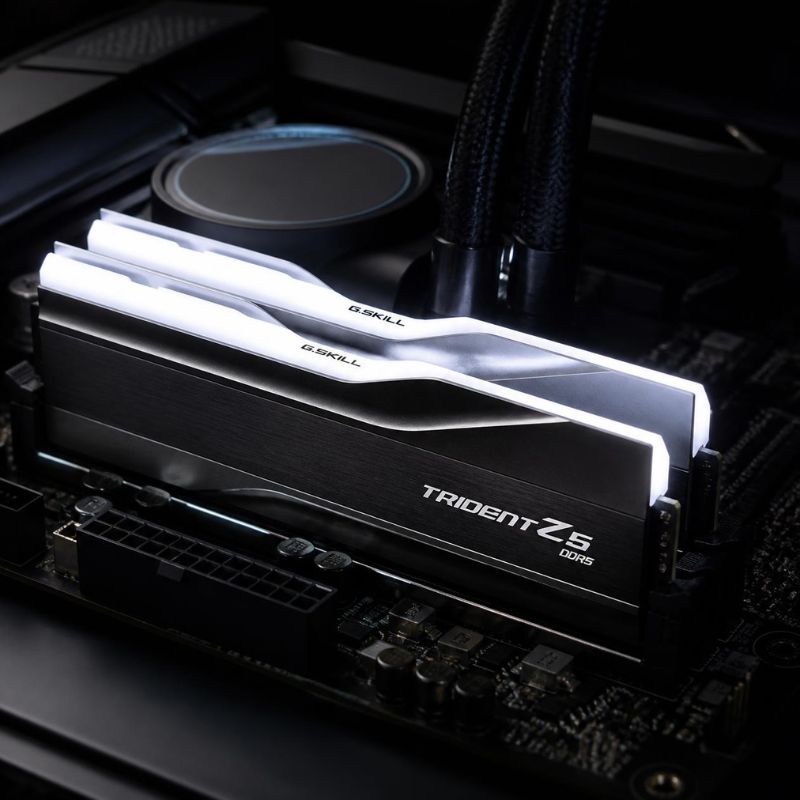
The Fix: For Intel Arrow Lake (Core Ultra) and AMD Zen 5 processors, you must utilize memory kits rated for at least DDR5-6000 CL30. The Core Ultra 7 265K natively supports up to DDR5 6400 MT/s. Ensure that EXPO (for AMD) or XMP (for Intel) is enabled in your motherboard’s BIOS, or your high-end RAM will default to base speeds, crippling your system’s synergy.
High-End Hardware FAQ
Is a 15% bottleneck bad for a high-end PC?
No. Anything under 15%—specifically a 15% GPU limit—is considered a highly balanced system. It ensures that your graphics card (the most expensive component) is being fully utilized at 99%, while the CPU has a slight amount of breathing room to handle physics and background operating system tasks without causing stutters.
Should I upgrade my CPU or GPU for 1440p 240Hz gaming?
To achieve 240Hz at 1440p, you generally need to upgrade your CPU first. Pushing 240 individual frames every single second requires immense logic calculation speeds. Even an RTX 5080 cannot reach 240 FPS if the processor (like an older Ryzen 5600) can only generate 120 blueprints per second.
Will an RTX 5080 bottleneck a Ryzen 7 9800X3D?
Yes, but in the correct way. The RTX 5080 will hit its maximum rendering capacity before the 9800X3D hits its processing capacity. This creates a GPU bottleneck, which is the exact state of equilibrium you want for smooth, predictable gaming performance.
Does RAM speed affect CPU bottlenecks?
Yes, significantly. If your RAM speed is too low or your latency (CL timing) is too high, the CPU spends idle clock cycles waiting for data to arrive from the memory controller. This artificial delay prevents the CPU from feeding the GPU, creating stutters that mimic a traditional CPU bottleneck.
Is 16GB of VRAM enough for high-end gaming in 2026?
For pure gaming at 1440p and most 4K titles, the 16GB of GDDR7 VRAM found on cards like the RTX 5080 is fully sufficient. However, if you plan to utilize heavy 4K texture mods, or if you plan to run local AI models (like Large Language Models or image generation networks), 16GB acts as a hard structural limit. If AI is your goal, upgrading to a 24GB or 32GB card is highly recommended.