
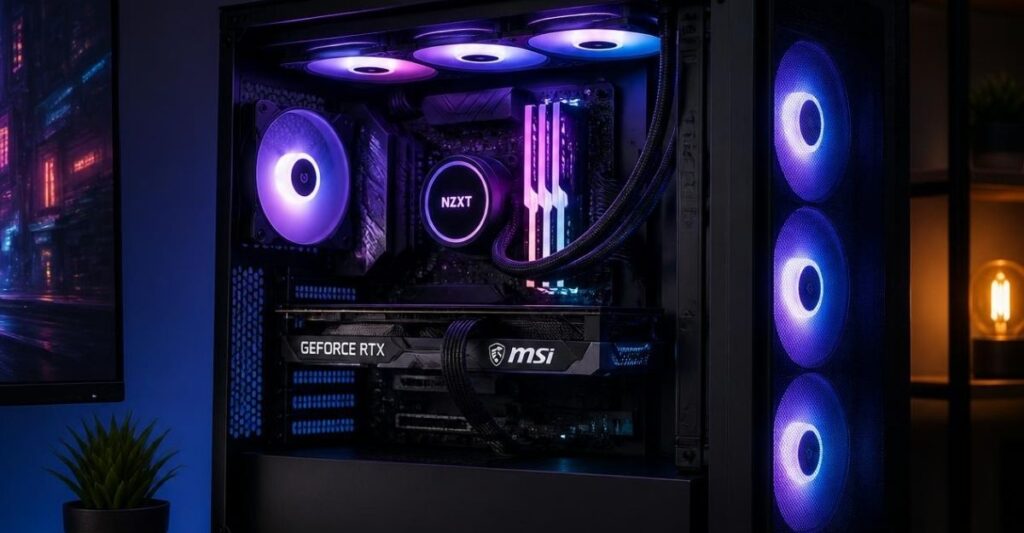
The “Mainstream+” tier represents the most fiercely competitive and popular category in the PC building landscape of 2026. This is the ultimate sweet spot. If you are building in this tier, your goal is to achieve smooth, high-fidelity 1440p gaming with enough overhead to utilize ray tracing and DLSS comfortably, all while maintaining strict budget discipline.
However, because this tier relies entirely on efficient component pairing rather than brute-force power, the margin for error is incredibly slim. Pairing a mid-range CPU with an underpowered graphics card will drag your entire system down, while overspending on a flagship processor in this bracket often results in wasted capital that should have gone toward your GPU.
Building in the Mainstream+ tier is an exercise in strict budget allocation, ensuring your graphics card and processor complement each other perfectly at 1440p.
If you used our hardware synergy engine and landed here, your system falls right into this highly optimized 1440p category. If you realize your budget cannot stretch to accommodate these components, you should immediately step down to our Budget+ Survival Guide to find the best 1080p alternatives.
Below is the definitive architectural breakdown of the best CPU and GPU combinations in the Mainstream+ tier, helping you navigate the fine line between maximum value and systemic bottlenecks.
AMD Ryzen 5 9600X with NVIDIA GeForce RTX 5070 12GB
Baseline Metrics (1440p Workload):
- System Variance: 5% GPU Limit
- Hardware Rating: A+ (Excellent)
- Ideal Resolution: 1440p
Comparative Analysis: This is the quintessential 1440p gaming setup for 2026. The AMD Ryzen 5 9600X, featuring 6 Zen 5 cores and a 5.4 GHz boost clock, is practically tailor-made to feed the RTX 5070. By optimizing performance-per-core rather than adding unnecessary background threads that modern game engines rarely utilize, AMD has engineered a processor that delivers elite single-threaded speed without the bloated price tag.
The RTX 5070 is a 1440p powerhouse. The 5% system variance indicates near-perfect equilibrium. The 9600X supplies physics instructions and draw-calls just slightly faster than the 5070 can render the lighting and textures. This ensures the GPU is fully saturated at 99% utilization, extracting every ounce of value from your most expensive component without overwhelming the processor.
- Pros:
- Near-Perfect Equilibrium: The 5% GPU limit guarantees smooth, stutter-free frame pacing while maximizing your graphics investment.
- Incredible Value: The 9600X avoids the premium cost of higher-tier CPUs, freeing up capital to invest heavily in your GPU and monitor.
- Power Efficiency: Operating at just a 65W TDP, the 9600X is remarkably easy to cool, requiring only a modest single-tower air cooler.
- Cons:
- Productivity Limits: While 6 cores handle background tasks perfectly during gaming, heavy 4K video rendering or massive code compilation will be noticeably slower than on an 8 or 12-core part.
- 12GB VRAM Cap: The 12GB memory on the 5070 is sufficient for 1440p today, but it may struggle with extreme uncompressed texture mods or heavy local AI workloads in the future.
The Ryzen 5 9600X and RTX 5070 combination represents near-perfect architectural equilibrium for high-refresh 1440p gaming.
Intel Core Ultra 5 245K with NVIDIA GeForce RTX 5070 12GB
Baseline Metrics (1440p Workload):
- System Variance: 8% GPU Limit
- Hardware Rating: A+ (Excellent)
- Ideal Resolution: 1440p
Comparative Analysis: For builders who prioritize hybrid productivity workloads alongside their gaming habits, the Intel Core Ultra 5 245K is the superior architectural choice in this tier. It utilizes 14 physical cores (6 Performance and 8 Efficient cores) to deliver significantly faster multi-threaded performance than its AMD counterpart.
When paired with the RTX 5070 at 1440p, the system maintains a highly favorable 8% GPU limit. The 245K serves as a rock-solid coordinator, easily supplying the graphics card with spatial data while leveraging its extra E-cores to seamlessly handle background applications like OBS recording software, Discord, or heavy browser tabs without causing in-game micro-stutters.
- Pros:
- Multitasking Master: The 14-core layout provides massive headroom for productivity tasks and live-streaming without dropping game frame rates.
- Platform Modernity: The LGA 1851 socket offers a clear upgrade path compared to dead-end previous generations.
- Cons:
- Higher Power Draw: At a 125W base TDP, the 245K consumes significantly more power and generates more heat than the Ryzen 5 9600X, necessitating a premium dual-tower air cooler or a 240mm AIO liquid cooler.
- Gaming Parity, Not Dominance: Despite the extra cores, its single-threaded gaming performance is essentially tied with the cheaper 9600X. You are paying for productivity, not extra frames.
AMD Ryzen 5 7600X with AMD Radeon RX 9070 XT 16GB
Baseline Metrics (1440p Workload):
- System Variance: 11% GPU Limit
- Hardware Rating: A (Highly Balanced)
- Ideal Resolution: 1440p
Comparative Analysis: This all-AMD combination is the definitive answer for builders who care strictly about raw rasterization performance and maximum VRAM longevity. The Ryzen 5 7600X remains a potent 6-core processor that handles 1440p logic with ease, pairing beautifully with the RDNA 4 architecture of the RX 9070 XT.
An 11% GPU limit keeps the system well within the safe zone, ensuring the RX 9070 XT is pushed to its maximum potential. The standout feature here is the 16GB of VRAM, which provides a massive buffer for high-resolution textures, giving this system longer “legs” for future game releases compared to 12GB NVIDIA cards in the same price bracket.
An all-AMD setup leverages Smart Access Memory and generous VRAM to deliver exceptional rasterization value at 1440p.
- Pros:
- VRAM Advantage: 16GB of memory ensures you will not encounter texture-swapping stutters in modern, unoptimized PC ports.
- Smart Access Memory (SAM): Utilizing an all-AMD platform allows the CPU to access the entire GPU memory block at once, often resulting in a free 3-5% performance boost in supported titles.
- Cons:
- Ray Tracing Weakness: AMD graphics cards historically struggle with heavy ray tracing workloads compared to their NVIDIA counterparts.
- Lacks DLSS: AMD’s FSR upscaling is functional, but NVIDIA’s Deep Learning Super Sampling (DLSS) generally provides superior image quality and temporal stability.
Intel Core i5-12400F with NVIDIA GeForce RTX 4070 Super 12GB
Baseline Metrics (1440p Workload):
- System Variance: 22% CPU Limit
- Hardware Rating: C (Unbalanced)
- Ideal Resolution: 1440p
Comparative Analysis: This pairing illustrates the danger of over-investing in a GPU while neglecting the processor. The i5-12400F is a legendary budget CPU, but its older architecture simply cannot generate geometry and physics data fast enough to keep a card as powerful as the RTX 4070 Super fed.
A 22% CPU limit means your graphics card will frequently drop to 75-80% utilization. You will experience noticeable micro-stutters in CPU-heavy games (like sprawling open worlds or complex simulation titles) because the graphics card is forced to sit idle and wait for the processor to catch up.
- Pros:
- Strict Budget Adherence: If you found a massive discount on an RTX 4070 Super and have zero budget left for a CPU upgrade, the system will function, but sub-optimally.
- Cons:
- Severe Stuttering: The CPU bottleneck will cause jagged 1% low frame rates, making gameplay feel unsmooth regardless of the high average FPS.
- Wasted GPU Potential: You are paying for 20% of a graphics card that you physically cannot use until you upgrade your processor.
The Hidden Bottleneck: Understanding 1440p Upscaling
In the Mainstream+ tier, you will likely rely on upscaling technologies (NVIDIA DLSS or AMD FSR) to push your frame rates higher in demanding titles. However, upscaling fundamentally alters your hardware bottleneck.
When you enable DLSS Quality mode at 1440p, your GPU is actually rendering the game at an internal resolution of roughly 960p and using AI to upscale it. Because 960p is much easier to render, the GPU finishes its job much faster. This shifts the pressure back onto the CPU, forcing it to work harder to supply the next frame. If you pair a weak processor with a strong GPU and rely heavily on DLSS, you will inadvertently create a severe CPU bottleneck, resulting in heavy stuttering.
The Fix: If you plan to use DLSS or Frame Generation extensively at 1440p, you must ensure your CPU (like the Ryzen 9600X or Core Ultra 5 245K) has the processing overhead to handle the increased frame output demand. For a deeper dive into how resolution impacts CPU load, check out Tom’s Hardware guide on CPU bottlenecks.
Upscaling technologies reduce GPU load, which inadvertently shifts the processing burden back onto your CPU and System RAM.
Mainstream+ Hardware FAQ
Is the RTX 5070 overkill for 1440p?
No, it is currently the definitive 1440p card. It provides enough raw horsepower to max out settings natively in most games, and possesses the 5th-generation tensor cores required to handle path-tracing and DLSS 4 comfortably at that resolution. If you have the budget, upgrading to our High-End Matrix with a 5080 will provide more longevity, but the 5070 remains the value king.
Will a 6-core processor bottleneck my system in 2026?
For pure gaming, a modern 6-core processor like the Ryzen 5 9600X will not bottleneck your system. Most modern game engines are optimized to utilize 6 to 8 cores, making the 9600X’s high single-threaded IPC (Instructions Per Clock) more valuable than simply having a higher core count.
Should I choose the 9600X or the Core Ultra 5 245K?
If your system is exclusively for gaming, the Ryzen 5 9600X offers better value, lower power consumption, and identical frame rates. If you stream, render video, compile code, or heavily multitask, the Core Ultra 5 245K’s 14 cores provide significantly better productivity performance.
Why is a CPU limit worse than a GPU limit?
A GPU limit simply means your graphics card is working at 100%, which results in smooth, consistent frame pacing. A CPU limit means the processor is overwhelmed and cannot send data to the graphics card fast enough, which results in sudden, jarring frame drops and micro-stutters that ruin the gameplay experience.
Do I need more than 12GB of VRAM for 1440p?
Currently, 12GB is sufficient for the vast majority of 1440p gaming scenarios. However, if you want your system to remain viable for 4-5 years without lowering texture settings, or if you plan to play heavily modded titles (like Skyrim with 4K texture packs), seeking out a 16GB card provides better long-term security.