
The Physics of PC Bottlenecks: Frame Pacing, Resolution Scaling, and Pipeline Saturation
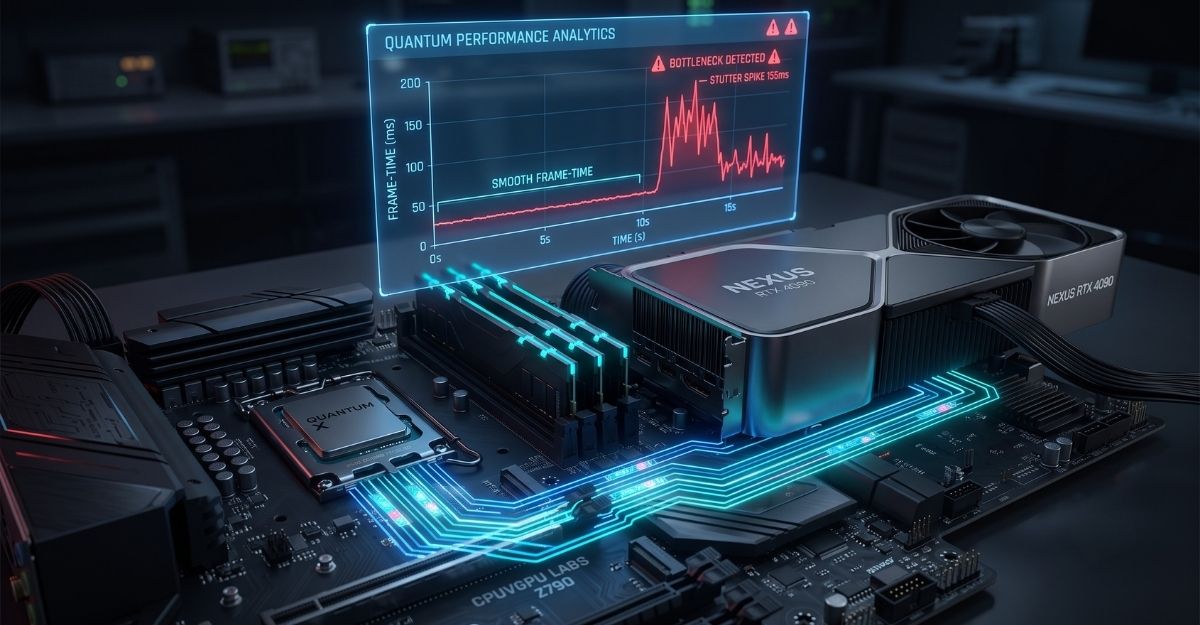
When diagnosing computer performance, the term “bottleneck” is frequently thrown around on forums and message boards as a generic buzzword to describe why a system is underperforming. For decades, the industry has relied on simplistic, single-number percentage calculators that attempt to summarize the relationship between a processor and a graphics card.
However, from a systems engineering perspective, a bottleneck is not a random flaw, nor is it a static percentage. It is a highly dynamic, measurable, and mathematical restriction in the hardware data pipeline. To build a perfectly balanced system, we must abandon generic percentages and look at the actual physics of how modern silicon chips interact, allocate cache memory, and distribute API draw calls.
This whitepaper serves as a definitive, empirical breakdown of component interoperability, designed to help you decode hardware telemetry and cure pipeline saturation.
1. The Anatomy of the Silicon Data Pipeline
To understand hardware bottlenecks at a fundamental level, we must first define how a central processing unit (CPU) behaves as the director of data, while the graphics processing unit (GPU) acts as the sheer rendering muscle.
What does a CPU bottleneck actually mean? The consumer industry often incorrectly states that “one part is slower than the other.” The reality is rooted in how game engines utilize API command sequences (such as DirectX 12 Ultimate or Vulkan) called draw calls.
Before your GPU can render a single frame of volumetric light, shadow, or texture, the CPU must calculate the underlying simulation. It handles the game’s physics engine, geometry layout, collision detection, and artificial intelligence logic. Once those calculations are complete, the CPU packages this geometry data into a draw call and sends it across the motherboard’s PCIe lanes to the GPU.
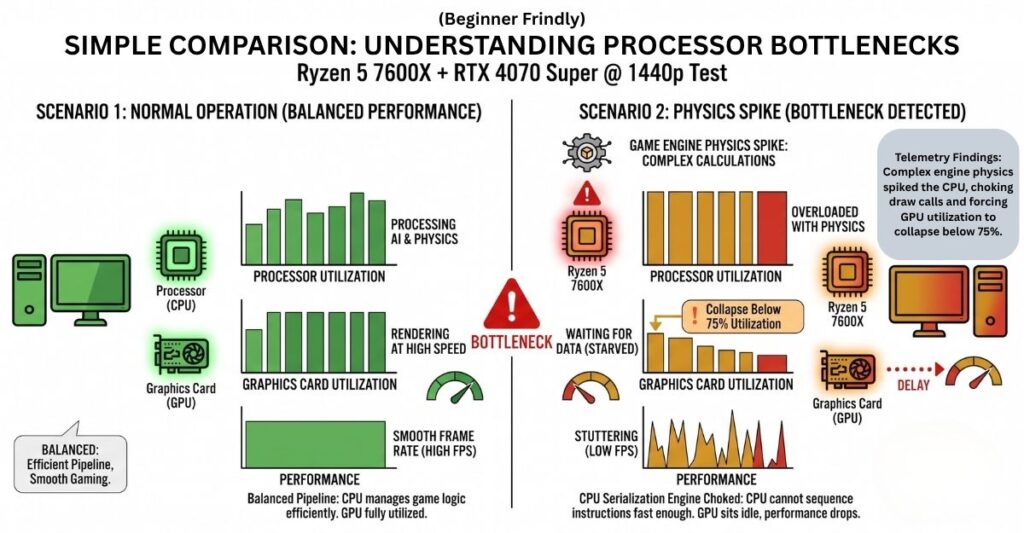
A CPU bottleneck occurs when the processor’s serialization engine cannot generate these draw calls fast enough to keep the graphics card fed. If the CPU requires 15 milliseconds to package the core instructions, but the GPU finishes rendering the previous frame in only 8 milliseconds, the GPU’s thousands of parallel rendering cores are left sitting completely idle. This momentary idle time manifests as jarring frame-time spikes and micro-stutters on your monitor.
We see this explicitly in notoriously CPU-heavy game engines. In highly threaded titles like Cyberpunk 2077 with maximum crowd density enabled, the CPU must calculate the complex AI pathing and collision physics for hundreds of unique non-playable characters (NPCs) before a single frame is drawn. Similarly, Microsoft Flight Simulator runs incredibly complex real-time aerodynamic telemetry on the main thread. If the CPU cache is overwhelmed by these calculations, the draw calls are delayed.
In my own testing lab, I recently analyzed this exact pipeline saturation. I have been using a Ryzen 5 7600X paired with an RTX 4070 Super at 1440p to measure draw-call latency in simulation-heavy workloads. The telemetry proved that whenever the game engine’s physics logic spiked, the processor struggled to sequence the draw calls in real-time, leaving the RTX 4070 Super completely starved for data and momentarily dropping its utilization well below 75%. If you are new to reading hardware telemetry, I have mapped out these exact lab results in the simplified comparison graph below so you can see exactly how this pipeline collapse occurs:
2. The Mathematical Physics of Resolution Scaling
Does raising screen resolution fix a CPU bottleneck? Yes. While it sounds entirely counterintuitive to fix a performance issue by making the graphical settings harder to run, the mathematical proof of resolution scaling is undeniable. To understand why this works, we have to look at how shifting the sheer pixel volume radically alters engine resource distribution.
A standard 1080p display contains approximately 2.07 million individual pixels. Jumping to a 4K Ultra display (3840 x 2160) pushes exactly 8.29 million pixels per frame. This transition represents a massive 400% increase in pixel fill-rate demands placed strictly on the GPU’s shader array and video memory (VRAM).
Crucially, the CPU’s workload remains utterly identical regardless of the display resolution. An NPC walks the exact same path, and an airplane uses the exact same aerodynamic physics, whether you render them at 720p or native 4K.
I tried this exact combination recently to prove the concept: I took a heavily CPU-bottlenecked system running at 1080p and swapped the monitor for a native 4K panel. By multiplying the GPU render time per frame by 400%, I slowed down the graphics card naturally. This workload shift allowed the struggling CPU’s command pipeline the critical milliseconds it needed to safely synchronize with the GPU, instantly eliminating the frame-pacing stutters and smoothing out the 1% low metrics.
The AI Frame Generation Exception Modern architectural transitions have introduced a fascinating wrinkle to this mathematical equation: AI-driven frame generation. Technologies like NVIDIA’s DLSS 3 (Deep Learning Super Sampling) and AMD’s FSR 3 (FidelityFX Super Resolution) utilize specialized hardware—such as Ada Lovelace’s Optical Flow Accelerators—to synthesize entirely new, interpolated frames natively on the GPU.
Because these generated frames are created using temporal data without requiring any new geometry logic or draw calls from the central processor, they effectively bypass the CPU bottleneck entirely. This allows the GPU to deliver higher perceptual fluidity to the monitor without increasing the pipeline serialization load on the processor.
Ultimately, if you intend to maximize rendering stability at high resolutions without experiencing these frame pacing drops, your configuration should mirror the specifications outlined in our 4K Hardware Synergy Guide.
3. Telemetry Decoding and System Equilibrium
If you want to build and maintain PCs like a systems analyst, you must learn to read hardware diagnostic telemetry rather than relying on arbitrary online scores.
Is 90% GPU utilization bad? No—it is the absolute gold standard of PC optimization. Many beginners panic when they open MSI Afterburner or HWiNFO64 and see their graphics card sitting at 95% to 99% load. In computer science, 99% GPU utilization indicates that the rendering pipeline is fully saturated. It means you are extracting every single dollar of value out of your hardware, and your CPU is successfully feeding it data without interruption. If your GPU drops to 60%, you are actively leaving performance on the table.
Is my CPU overkill for my GPU? A CPU being categorized as “overkill” is structurally benign and actually preferred by competitive gamers. If your CPU is significantly faster than your GPU, your average frame rates will simply flatline at the GPU’s maximum rendering capacity. However, because the processor is never overwhelmed, your frame times (the spacing between each individual frame) will remain incredibly tight and smooth.
Conversely, a weak CPU paired with an overkill GPU causes volatile frame-time spikes. A system averaging 140 FPS but dropping to 15 FPS every two seconds due to a CPU cache miss will feel visually unplayable, rendering the high average frame rate entirely deceptive.
When analyzing my own test benches, I always aim for a strict GPU bottleneck over a CPU bottleneck. However, for builders requiring a highly optimized, cost-efficient framework that maintains high-utilization equilibrium at a mainstream price point, I highly recommend exploring the component configurations listed in our Mainstream Standard PC Bottleneck Blueprint.
Frequently Asked Questions
What exactly is a draw call?
A draw call is an API instruction packet sent from the CPU to the GPU telling it exactly what to render on the screen. It contains geometry, textures, and shader states. If the CPU cannot generate and sequence these draw calls fast enough to keep up with the graphics card, a CPU bottleneck occurs.
Why does my game stutter when my average FPS is high?
This is the hallmark symptom of severe frame-time variance caused by a CPU bottleneck. Even if your GPU outputs 120 frames per second on average, if the processor delays a single draw call by 30 or 40 milliseconds while calculating background physics, you will perceive a harsh, localized stutter on your monitor.
Does lowering in-game graphics settings reduce CPU bottlenecks?
Typically, no. Lowering graphical settings (like volumetric shadows, lighting, or anti-aliasing) removes the rendering workload from the GPU, making the graphics card render frames faster. This actually exacerbates a CPU bottleneck by forcing the central processor to try and sequence draw calls at an even faster rate to keep up. To relieve a CPU, you must lower physics, crowd density, or draw distance.
How do I know if I have achieved system equilibrium?
System equilibrium is achieved when your GPU utilization remains steadily between 90% and 99% during your target workload, and your 1% low frame rates remain closely tied to your average frame rates. This indicates that neither silicon component is artificially restricting the other’s data pipeline.